
Updated:
Crorebet App Specifications and Features
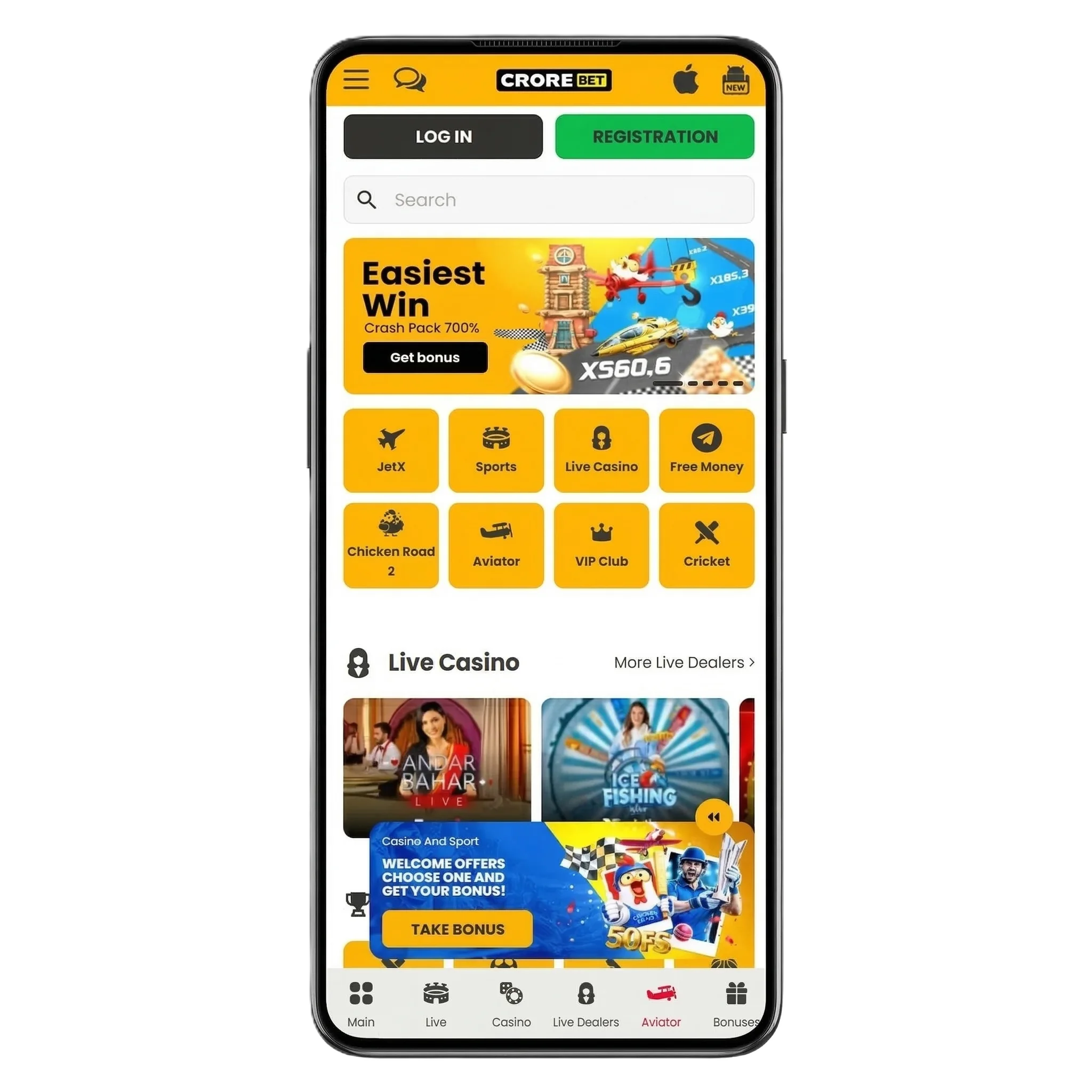
The Crorebet mobile application follows modern technical standards and receives regular updates that improve stability, speed, and compatibility with new mobile devices. Developers focus on stable performance during live betting sessions and casino gameplay, which helps gamblers place wagers or launch games without delays. The interface works efficiently on different screen sizes and maintains fast response during navigation between sportsbook and casino sections. Continuous software updates also correct technical issues and strengthen platform security for mobile bettors.
| Specification | Details |
| App Version | v. 1.4.3 |
| APK File Size | 45 MB |
| Installed App Size | 92 MB |
| Supported Operating Systems | Android, iOS |
| Developer | Crorebet |
| License | Curacao Gaming License No. 8048/JAZ |
| Interface Languages | English, Hindi |
Crorebet App Interface Screenshots
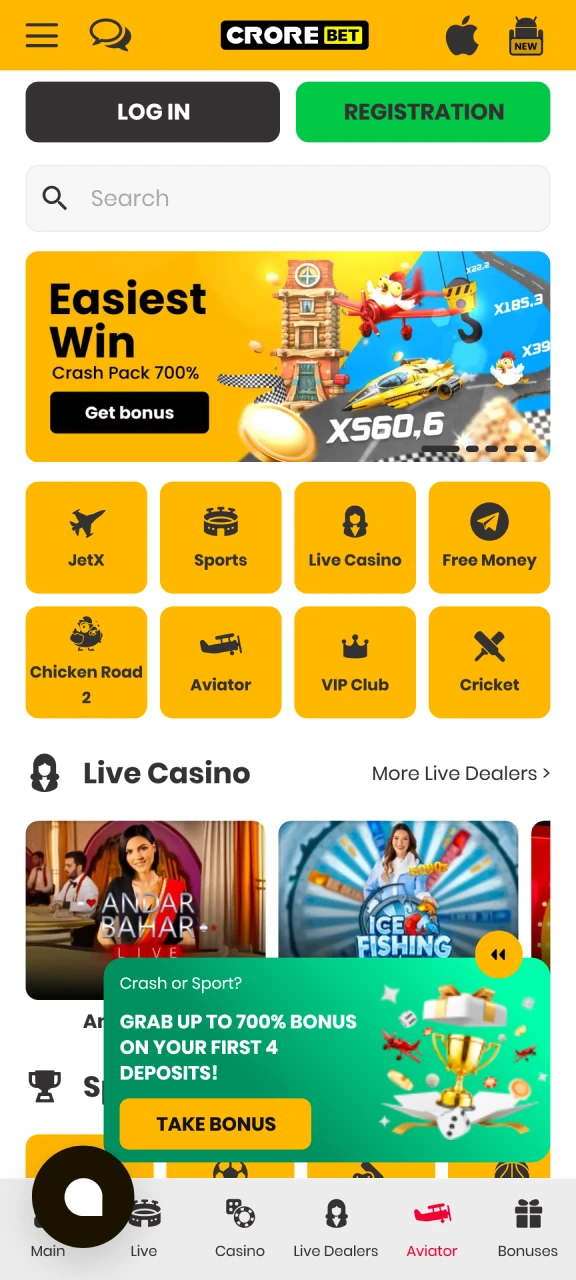
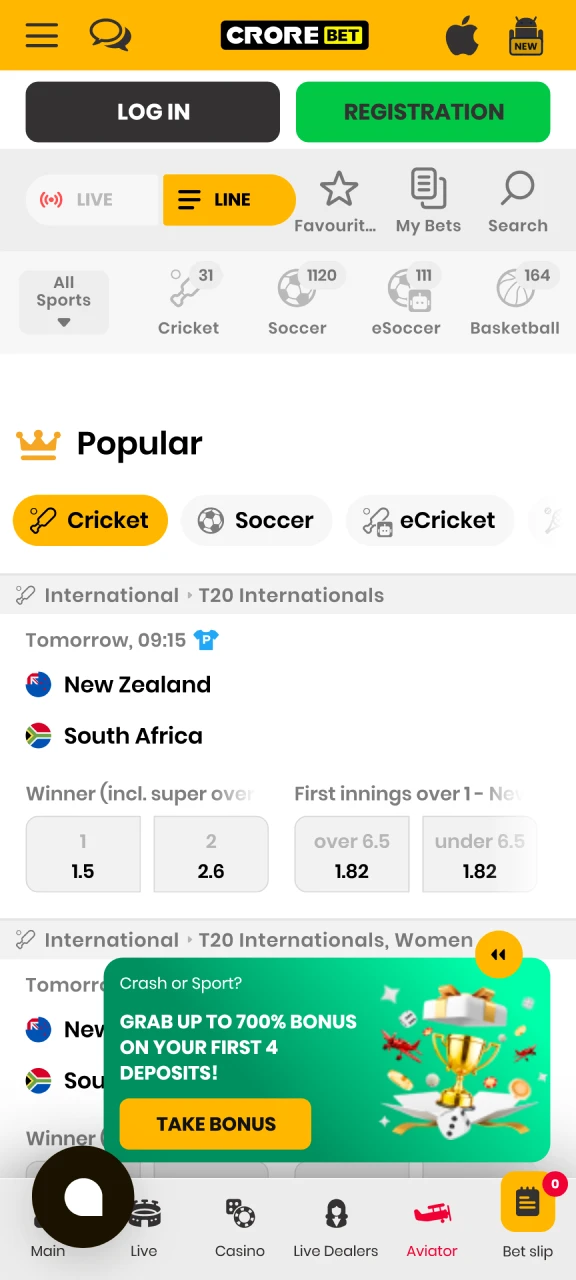
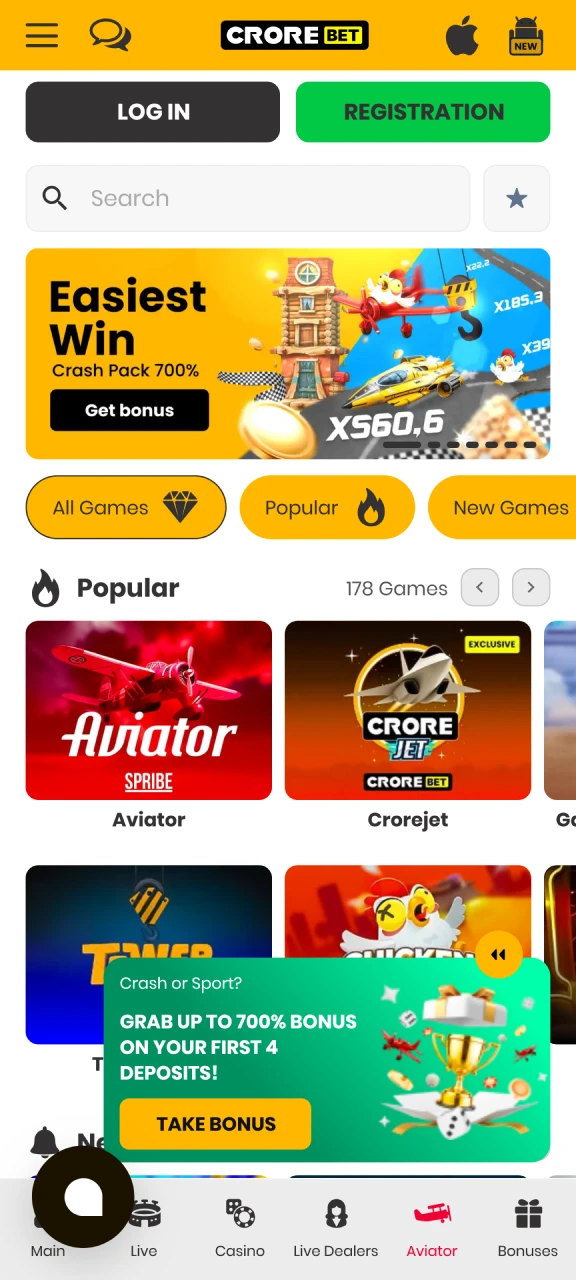
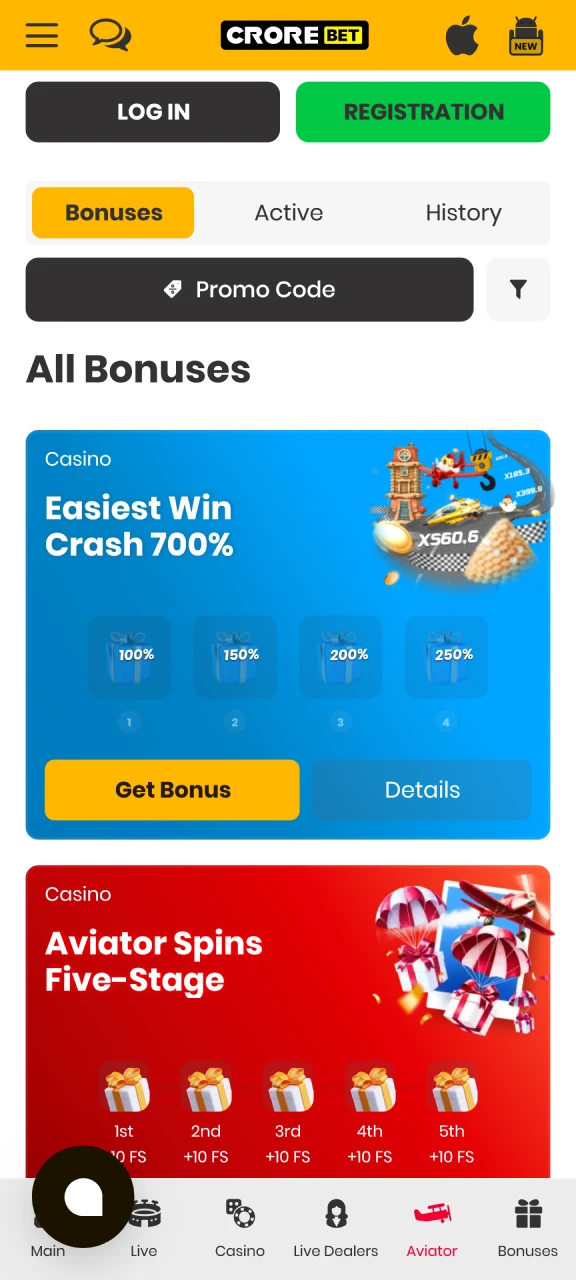
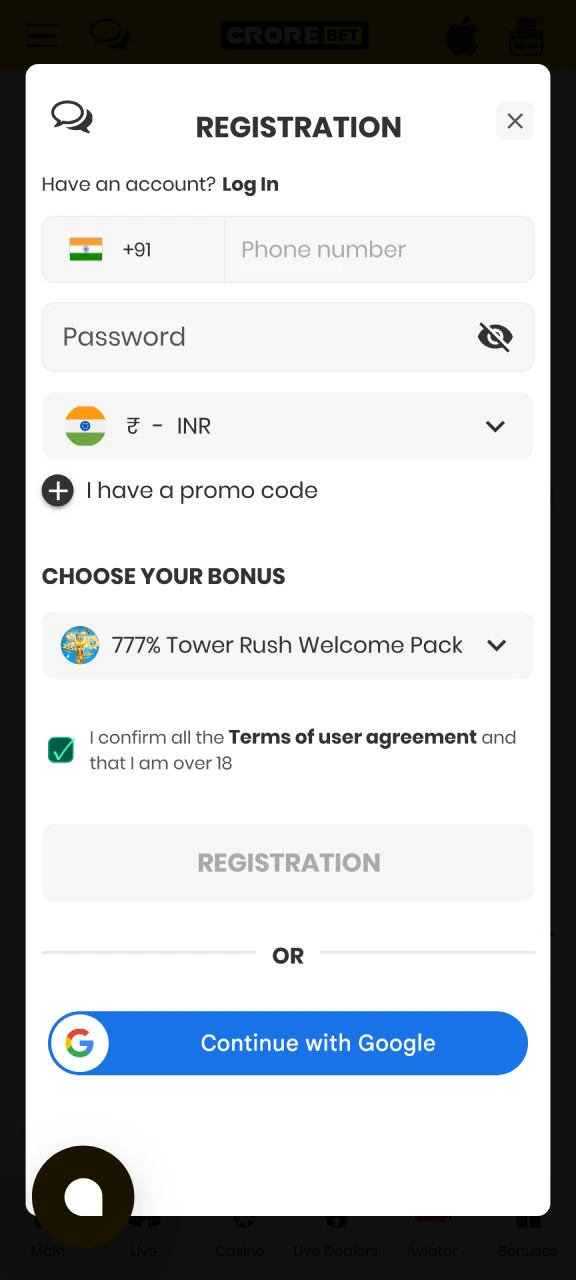
The Crorebet mobile interface follows a clean and minimal design that helps gamblers navigate the platform quickly from a smartphone. Layout elements appear in clear positions, which helps bettors switch between sports betting, casino games, deposits, and account settings without confusion. Developers selected a high-contrast color scheme that improves readability and reduces eye strain during long gaming sessions. Navigation also supports comfortable one-hand control, so gamblers can browse matches, place wagers, or launch casino games directly from the mobile screen with minimal effort.
Main Benefits of the Crorebet Mobile Application
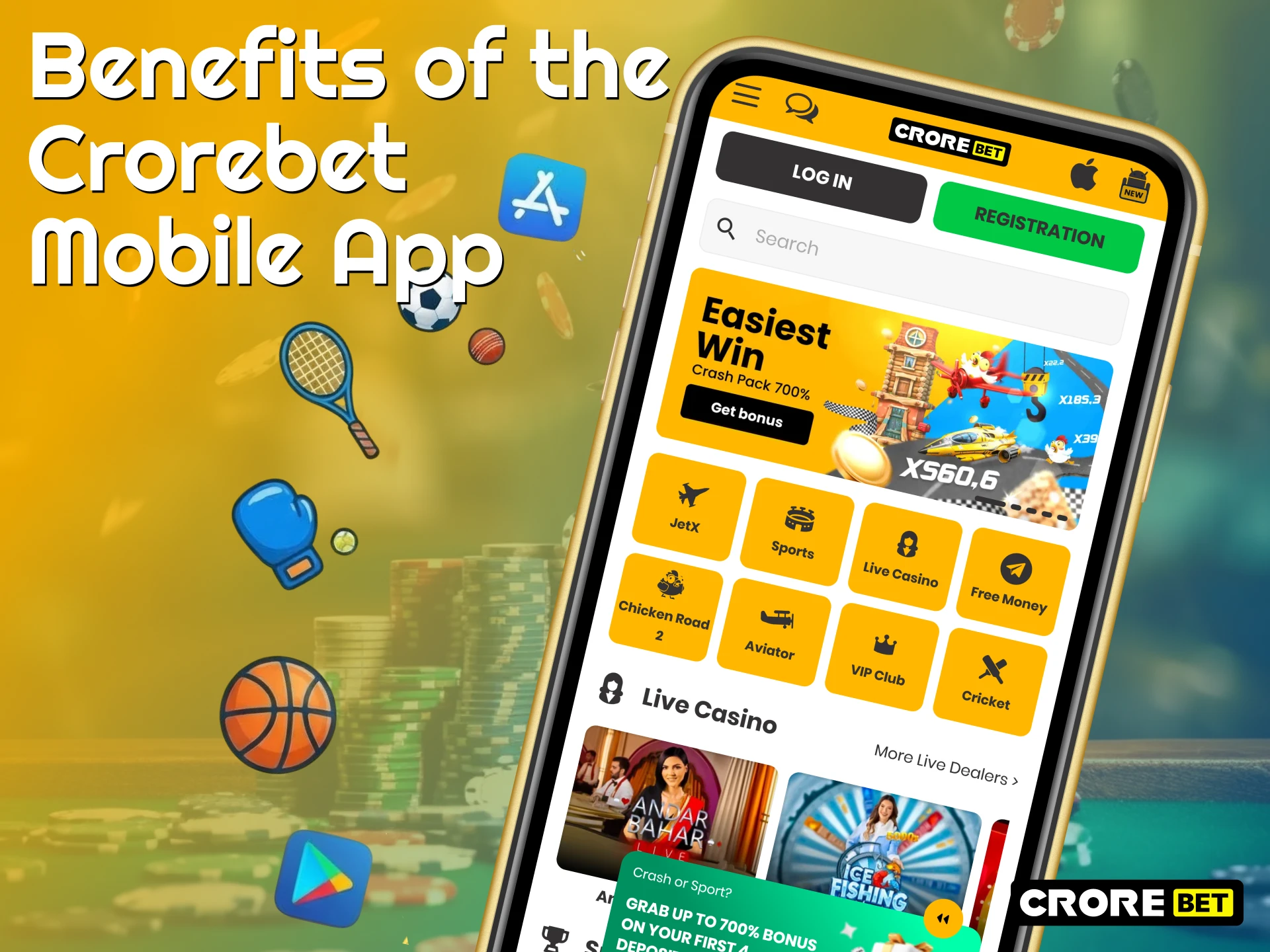
Mobile software often provides a different level of comfort compared with the browser version of a betting website. The Crorebet application connects directly with the smartphone operating system, which helps the interface react faster during navigation between sports betting and casino sections. Bettors access the sports line, casino lobby, and account tools through a compact interface adapted for mobile screens. Developers also introduced several technical functions designed for the Indian market that improve daily use of the platform and help gamblers control betting activity through their phones.
Push Notifications and Live Alerts
The software includes a push notification system that informs gamblers about important events on the platform. Alerts appear on the phone screen when odds change, when sports results appear, or when new promotions begin. Such notifications help bettors react quickly during live matches when betting markets change in real time. Account settings inside the application include notification controls where gamblers select which alerts should appear. Through these controls, bettors keep only useful updates connected with betting activity and ignore unnecessary promotional messages.
Slow Internet Optimization
Mobile networks in some regions do not always provide stable internet speed, which creates problems for online betting. The Crorebet application uses slow internet optimization technology that reduces traffic consumption during platform use. During installation, the system stores many interface elements and graphics directly in the phone memory. After that stage, the application loads the sports line and casino sections faster because part of the interface already exists inside the device storage. Such technology helps gamblers place wagers and check odds even through unstable 3G or 4G connections.
Biometric Security and Quick Login
Modern smartphones include biometric protection systems that simplify account access. The Crorebet application connects with fingerprint scanners and facial recognition functions available on many devices. After activation in the account settings, the bettor unlocks the application through Touch ID or Face ID instead of manual password entry. Biometric login protects the personal account because only the device owner can unlock the application. Access to the betting and casino sections then takes only a second after authentication.
Download Crorebet APK for Android
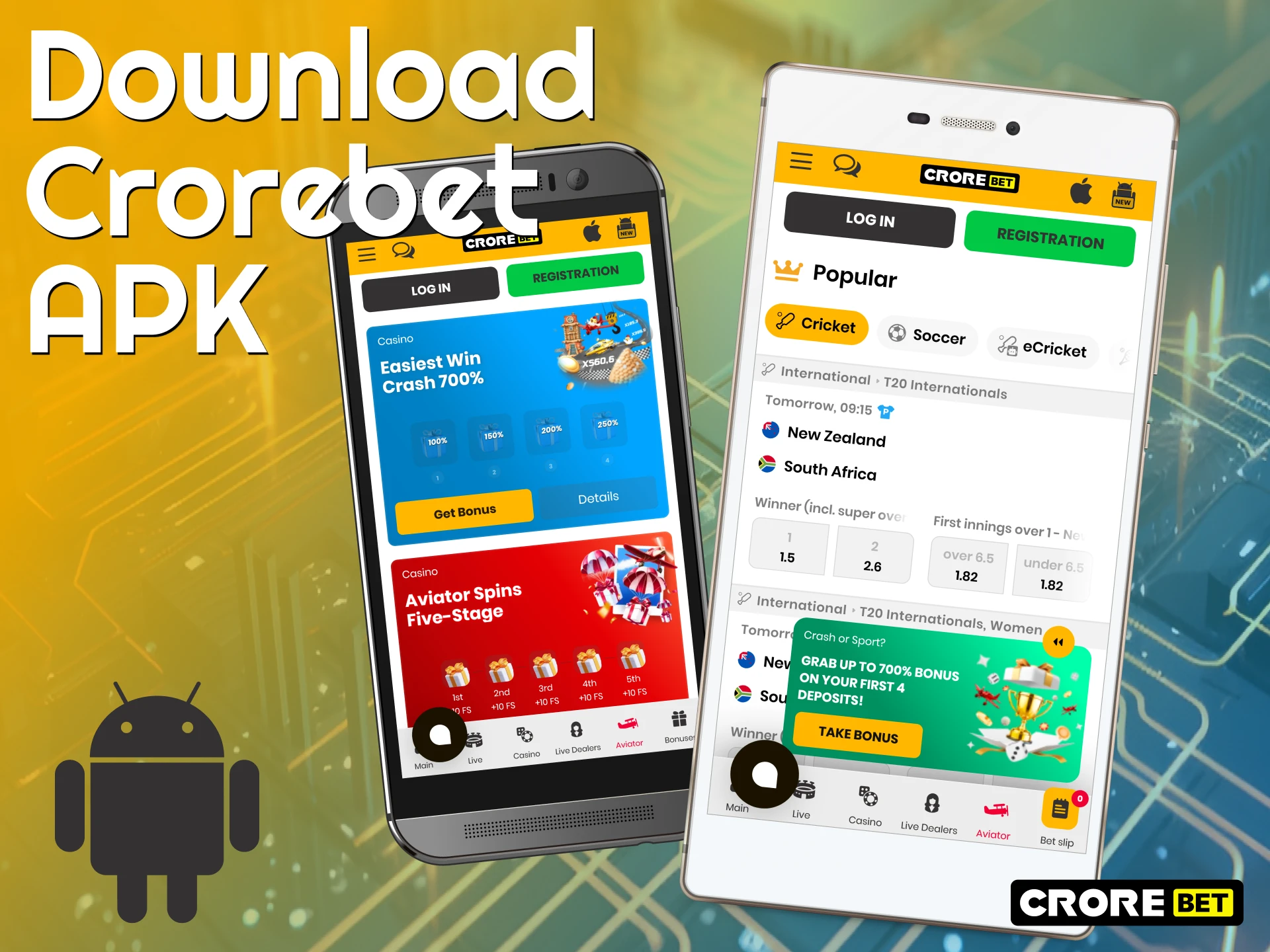
Android device owners can install the mobile client through the Crorebet APK, which provides direct access to sports betting and casino games on a smartphone. Distribution of gambling software often faces restrictions in official application stores, so the installation file appears through the official website of the platform instead of Google Play. The APK file passes security checks before publication and does not contain harmful code or unsafe software components. After installation, bettors receive the full mobile platform with access to sports markets, casino titles, deposits, and account tools.
Android System Requirements
The Crorebet application works efficiently on many smartphones, including devices released several years ago. Software optimization helps the application run without delays on phones with moderate hardware performance, which keeps the platform accessible for many Android users.
| App System Requirement | Minimum Specification |
| Operating System | Android 7.0 or higher |
| RAM | 1 GB RAM |
| Processor | 1.2 GHz |
| Free Storage Space | 92 MB |
Supported Android Devices
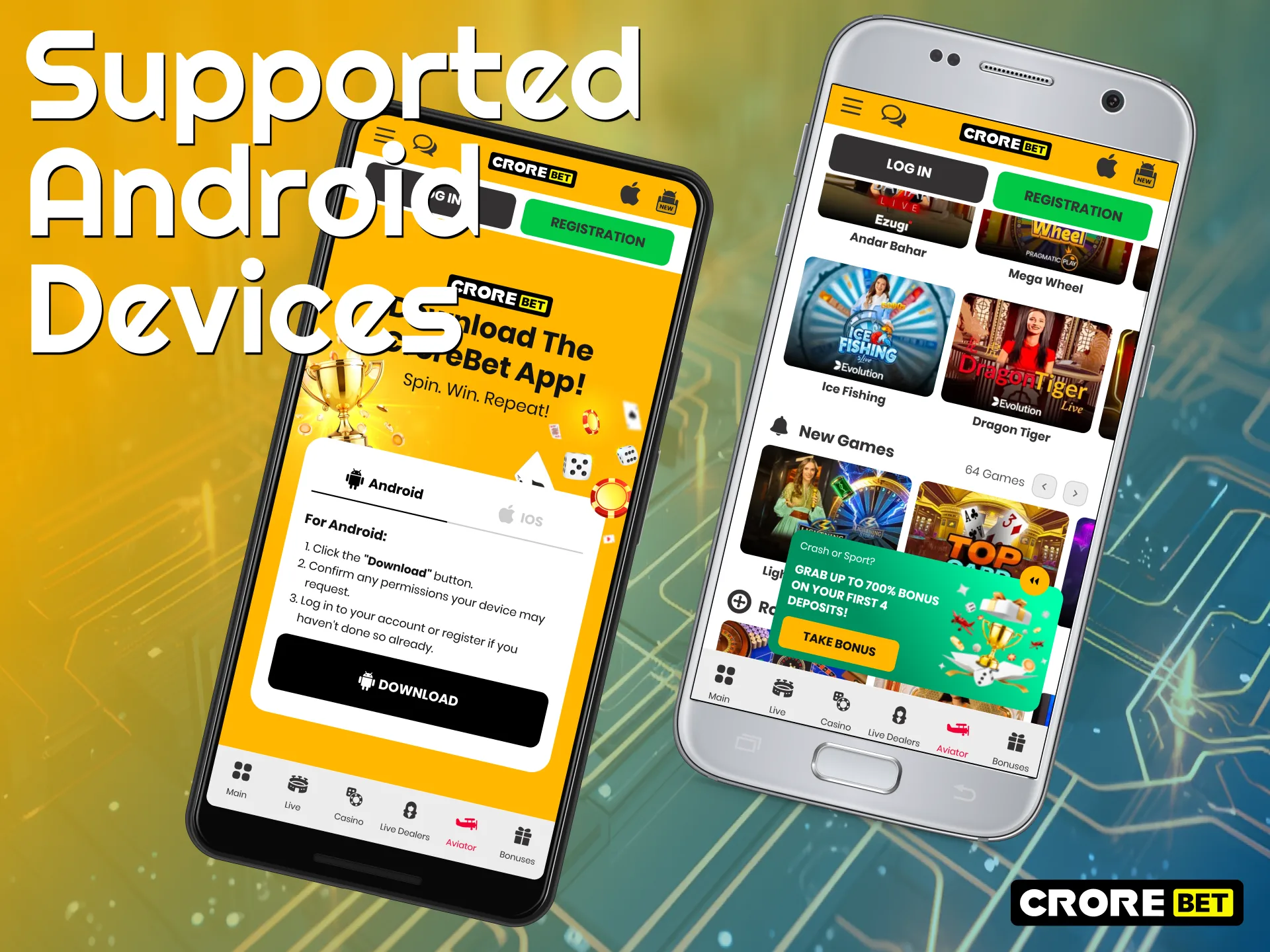
Many popular Android smartphones operate the Crorebet application without technical issues. Strong compatibility appears on devices such as Samsung Galaxy A52, Samsung Galaxy M33, Xiaomi Redmi Note 11, Poco X3, Realme 9 Pro, Vivo Y21, Oppo A57, and OnePlus Nord CE. These models represent widely used phones in India, and the application functions correctly on them during sports betting, casino play, and account management.
Crorebet for Android Installation Guide
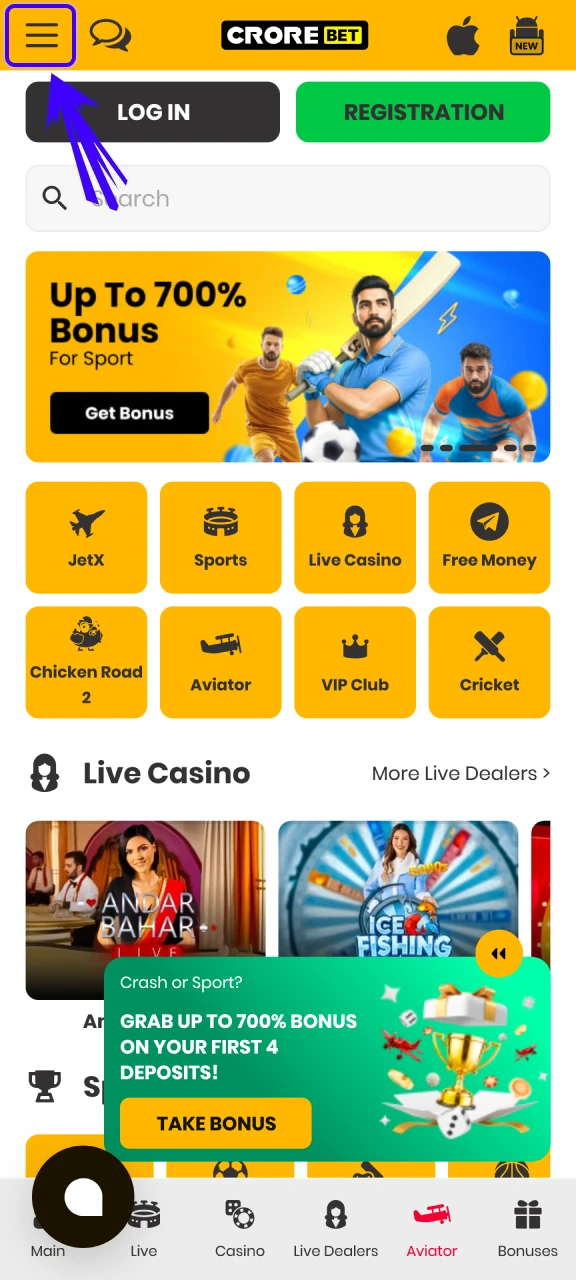
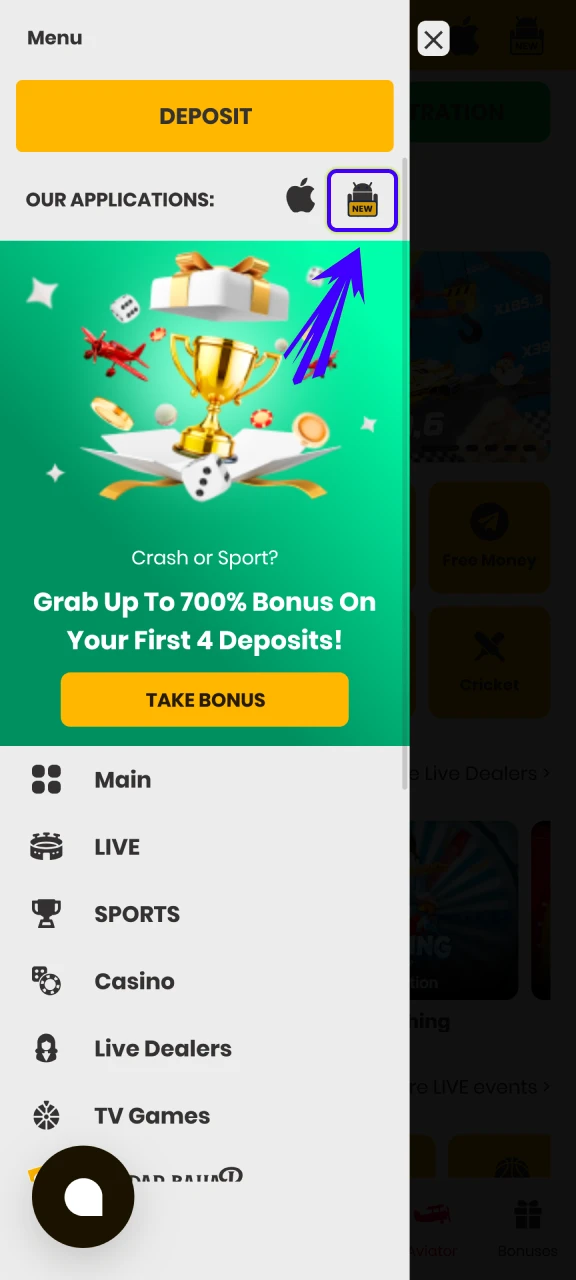
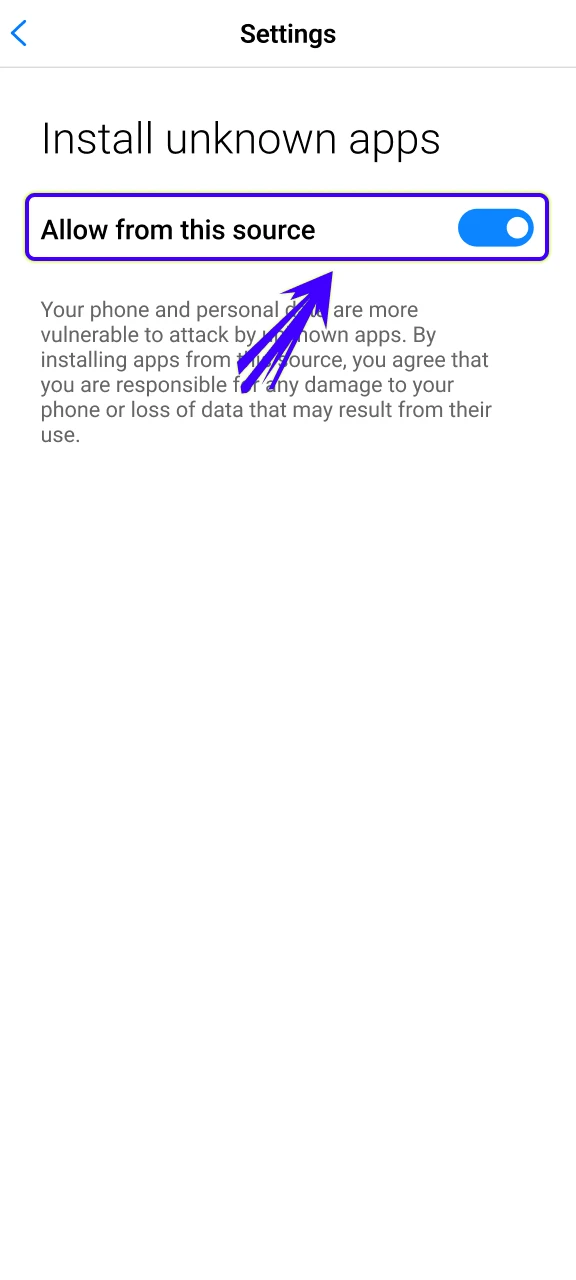
Install on Android in 6 stepsAndroid installation requires several short steps through the official website and device settings.
Open the official Crorebet website
Press the download button
Enable installation from unknown sources
Locate the downloaded file
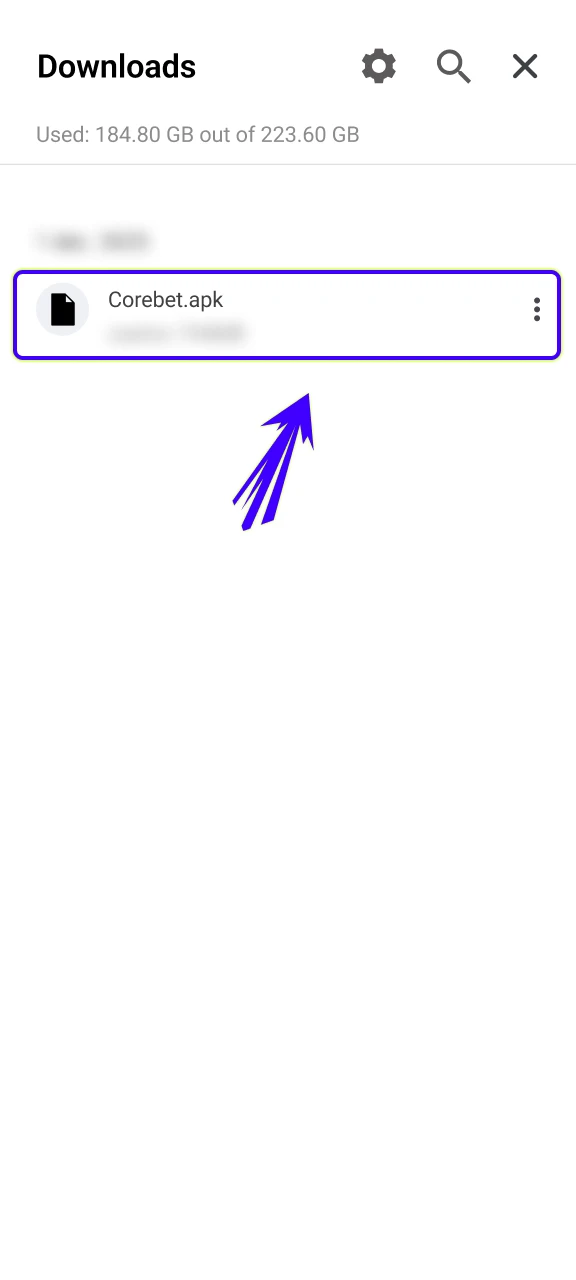
Tap the APK file
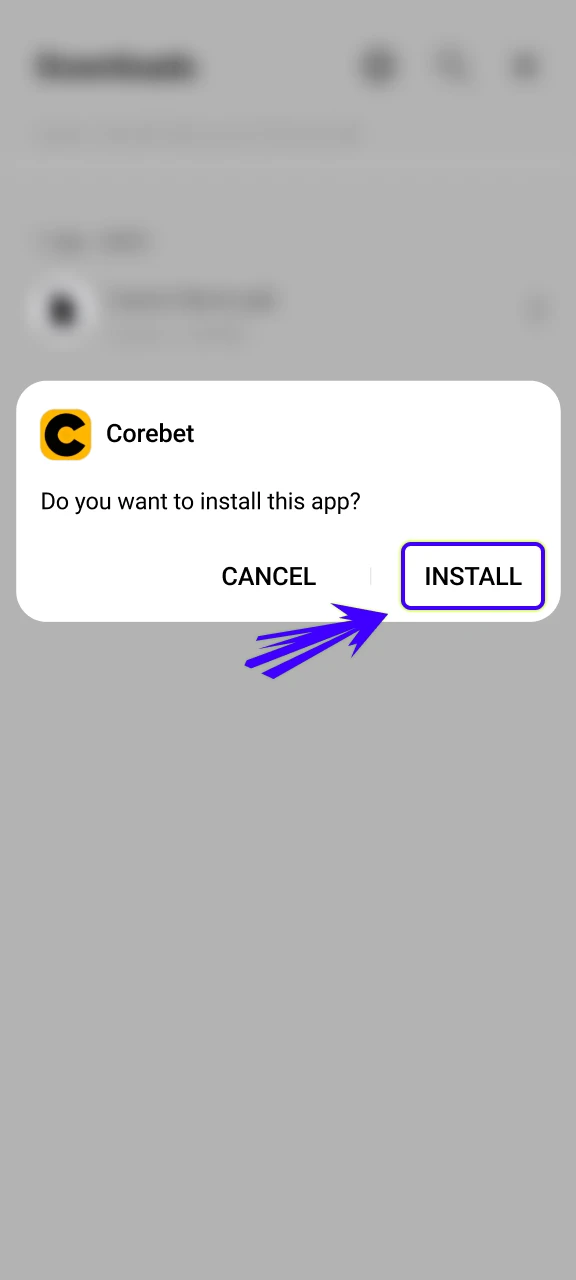
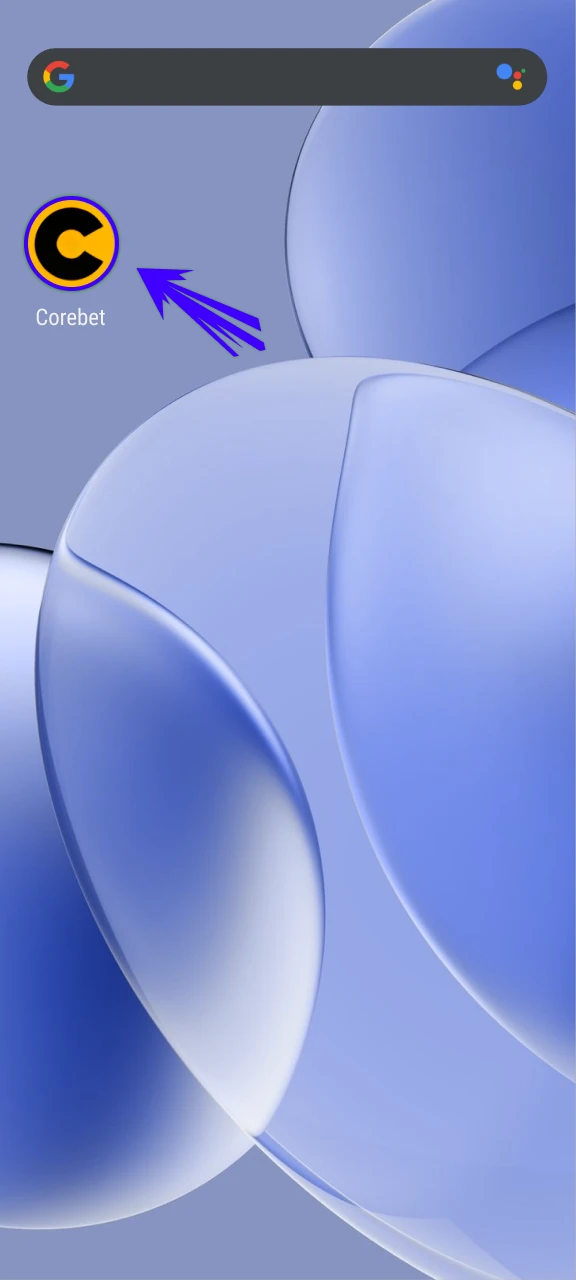
launch the Crorebet app
Crorebet App for iOS (iPhone & iPad)
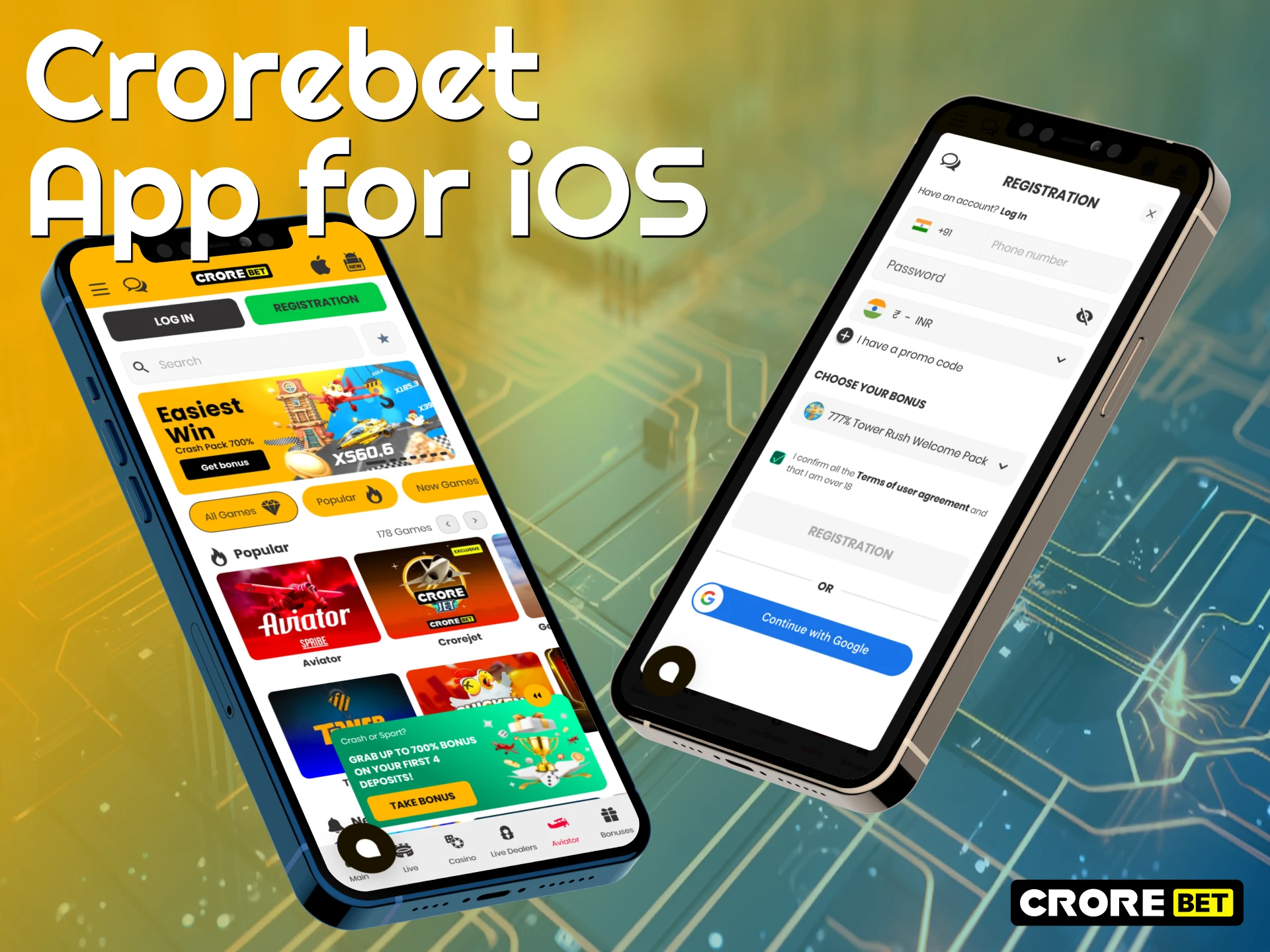
Apple device owners can use the Crorebet platform through the iOS version built in the format of a PWA shortcut. Such a format replaces the classic App Store application and gives access to the sportsbook and casino through a home screen icon. Bettors do not need to download heavy installation files because the shortcut works through the browser engine and loads platform data directly from the server. Another useful point is automatic updates on the server side, so gamblers always access the current version of the platform without manual installation of new releases. At the same time, the iPhone and iPad versions keep the main betting and casino functions available in the mobile format.
iOS System Requirements
The Crorebet web app works on many Apple devices and does not require powerful hardware. Basic technical requirements are low, which helps the platform run correctly on both older and newer iPhone or iPad models.
| iOS System Requirement | Minimum Specification |
| Operating System | iOS 9.0 or higher |
| RAM | 1 GB RAM |
| Processor | 1.2 GHz |
| Storage Space | 92 MB for cached data |
How to Add iOS Version to Home Screen
Installation of the iOS web app takes only a few actions inside Safari. Open the official Crorebet website through the built-in Safari browser on the iPhone, then press the Share button located in the lower navigation panel. After that, select the Add to Home Screen option from the menu and confirm shortcut creation on the device. When the icon appears on the home screen, the bettor gets instant access to the platform with one tap and can enter the sportsbook or casino section without searching for the website again.
How to Register a New Account via the App
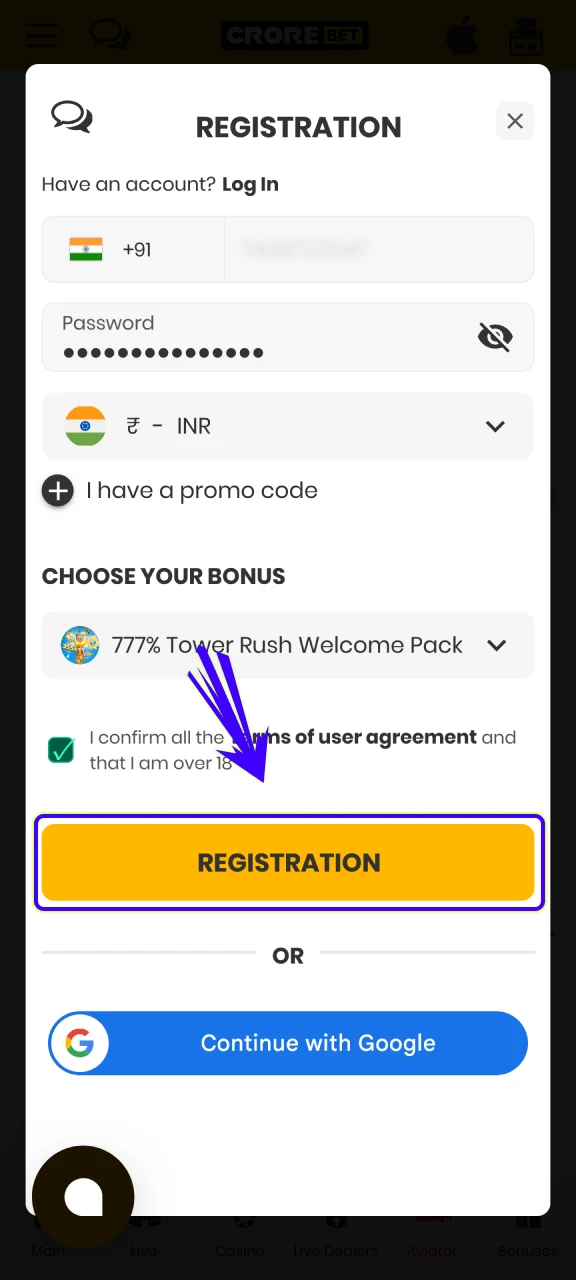
Registration in 7 stepsReal money play starts with account creation inside the application interface. The process takes only a few actions, and new bettors can complete it directly from a smartphone without switching to the desktop version. The sequence below explains how a new profile is created for future deposits, bets, and withdrawals in INR.
Launch the installed Crorebet software
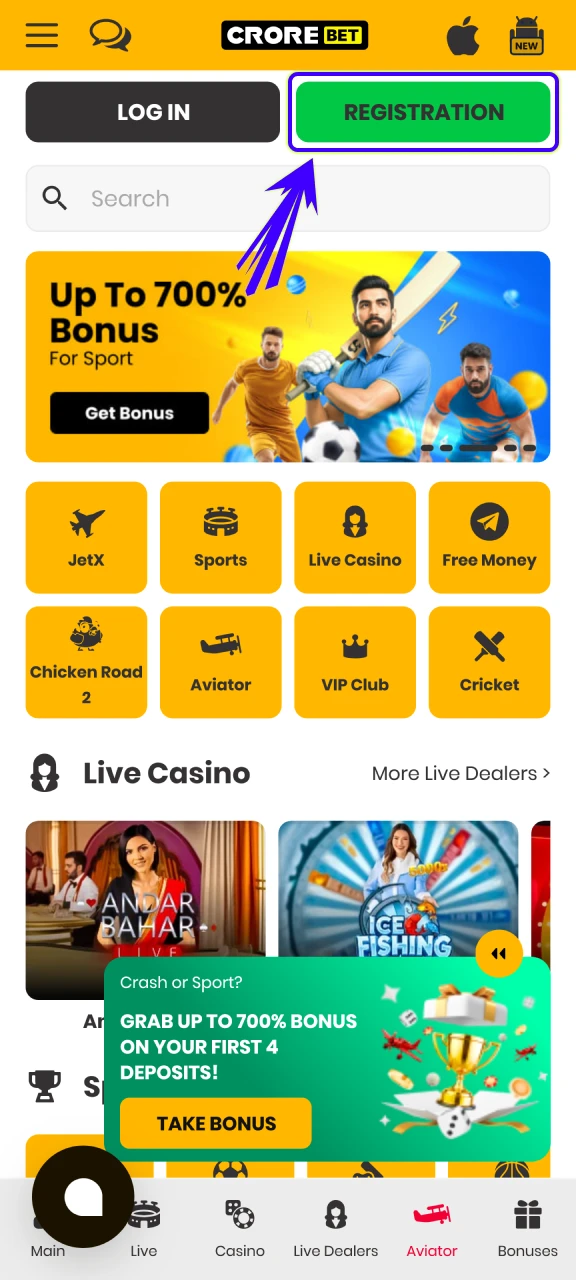
Select the preferred account creation method
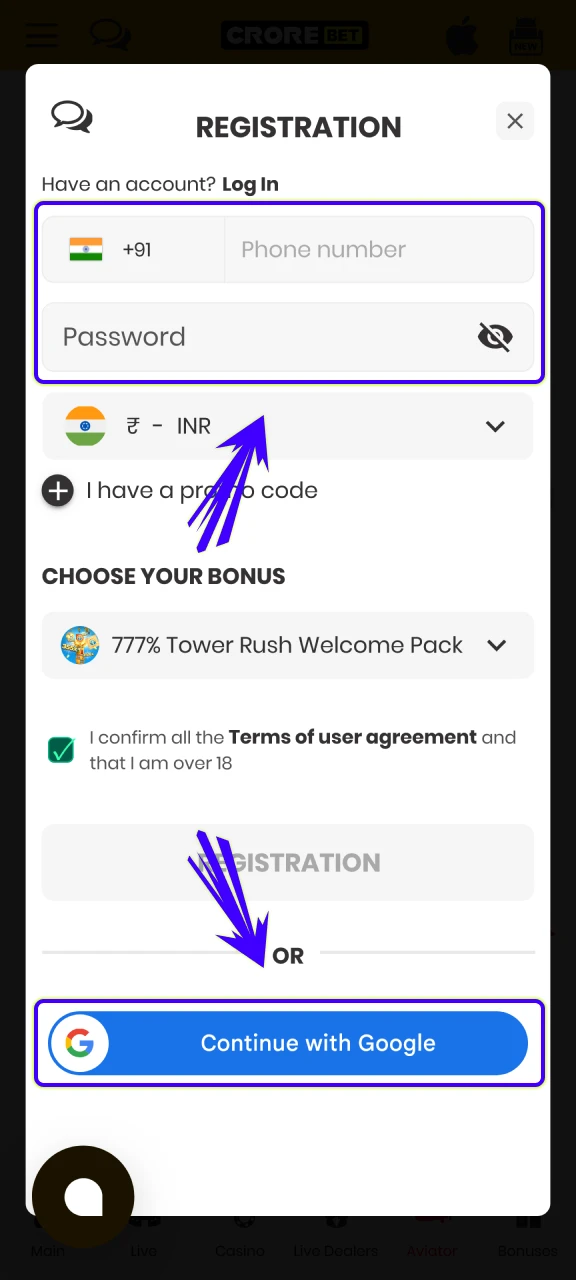
Enter the required personal details
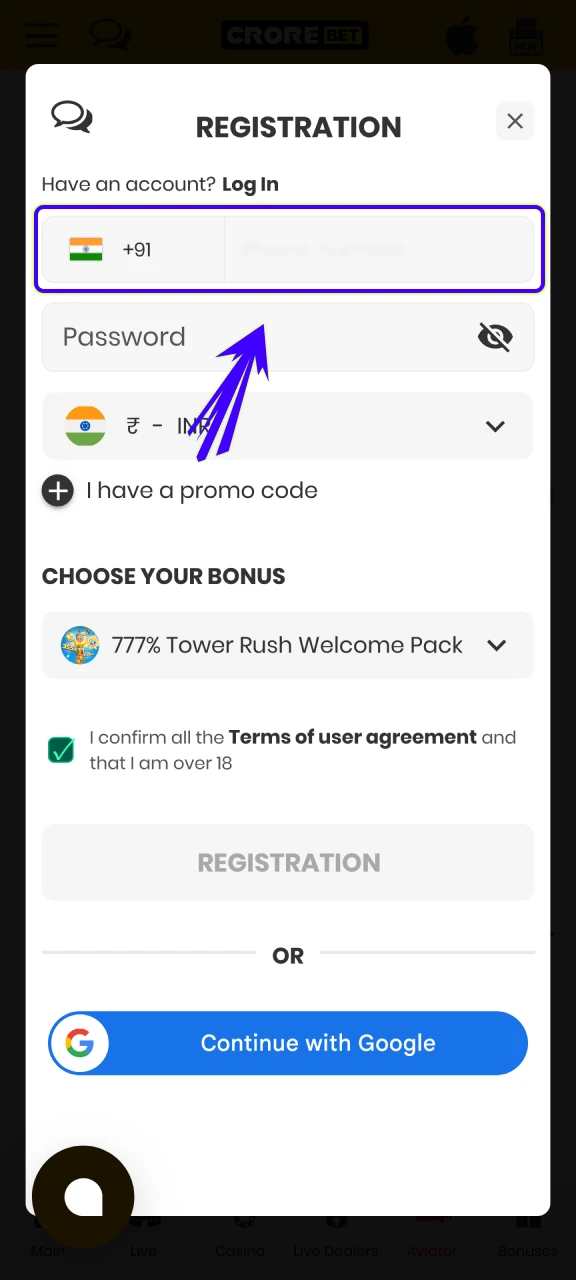
Create a strong password
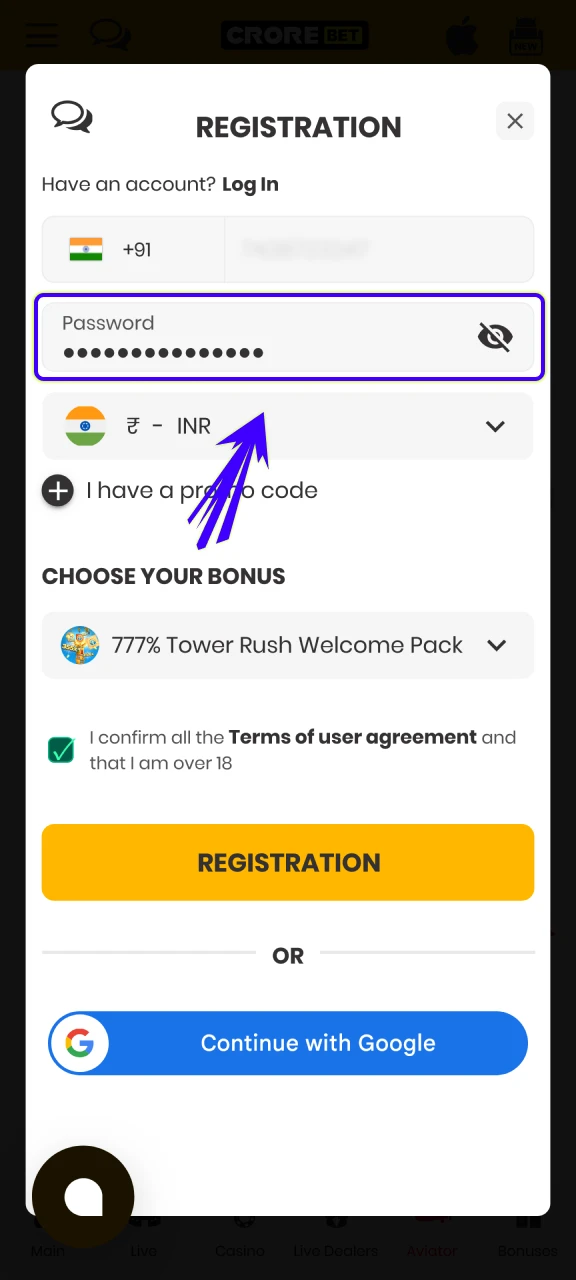
Select currency
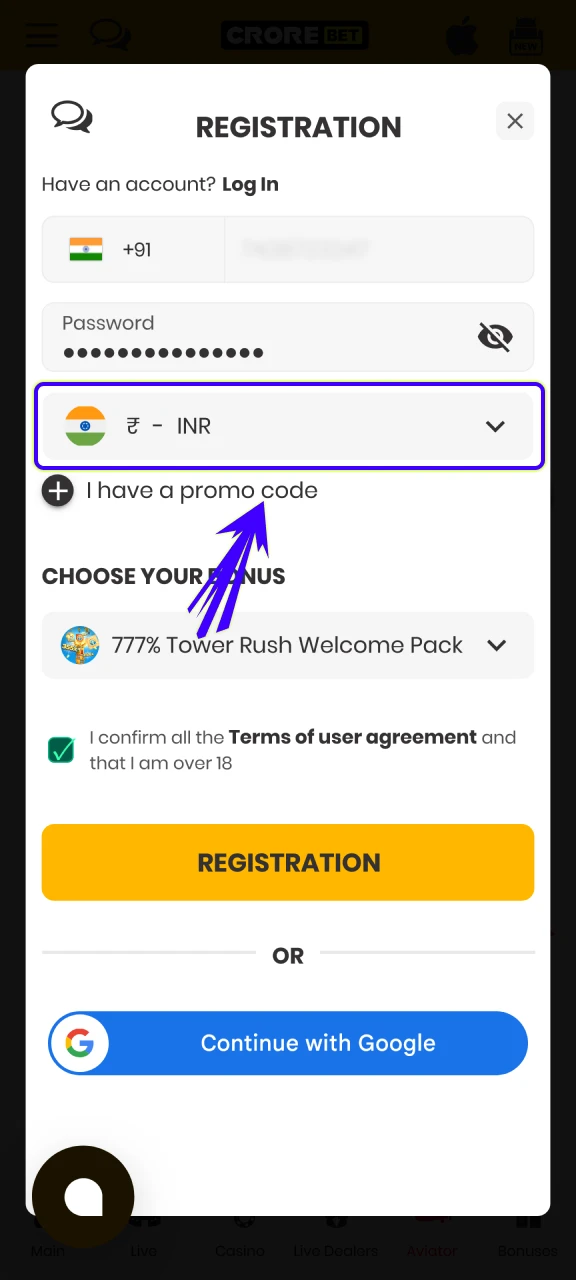
Confirm
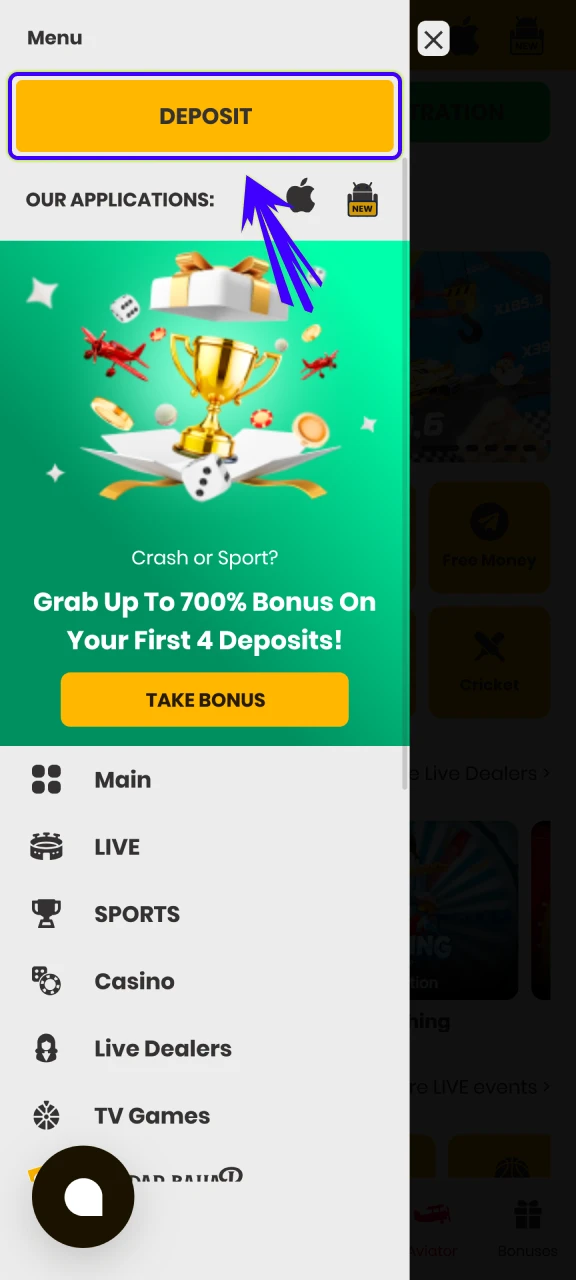
enter the personal account
Crorebet App Login
Login in 4 stepsAccess to the Crorebet application takes only a few actions for bettors who already have an active account. The login screen appears immediately after the application launch, where gamblers enter the same credentials used during registration on the platform. Standard authorization requires only the account login, which can be a phone number or email address, together with the previously created password.
Launch the Crorebet App
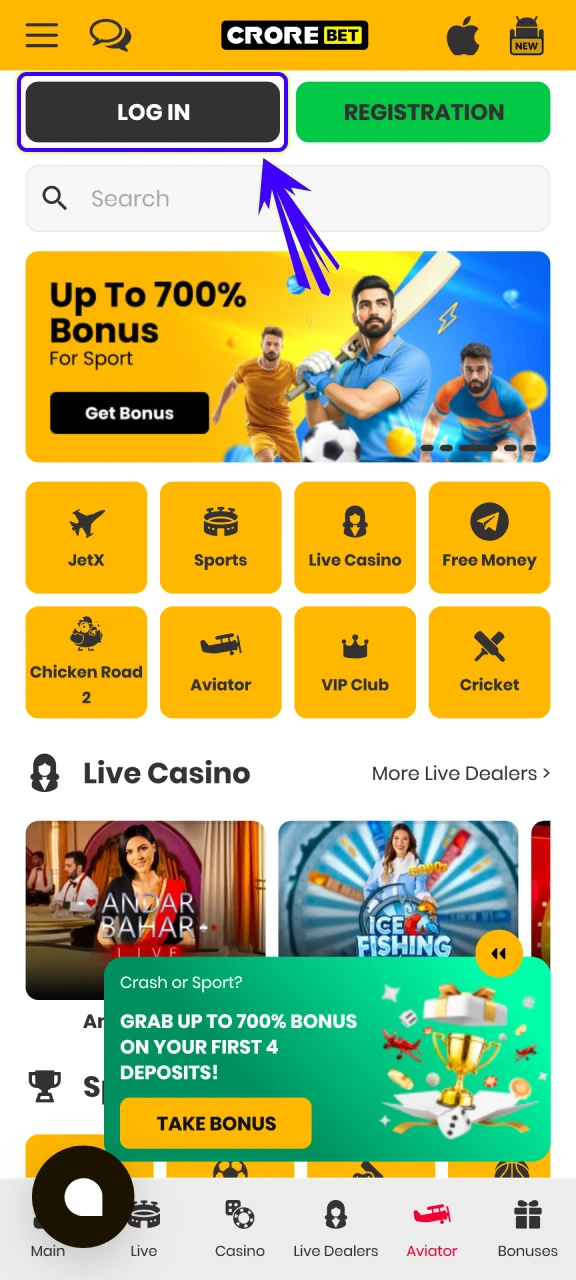
Enter Your Email
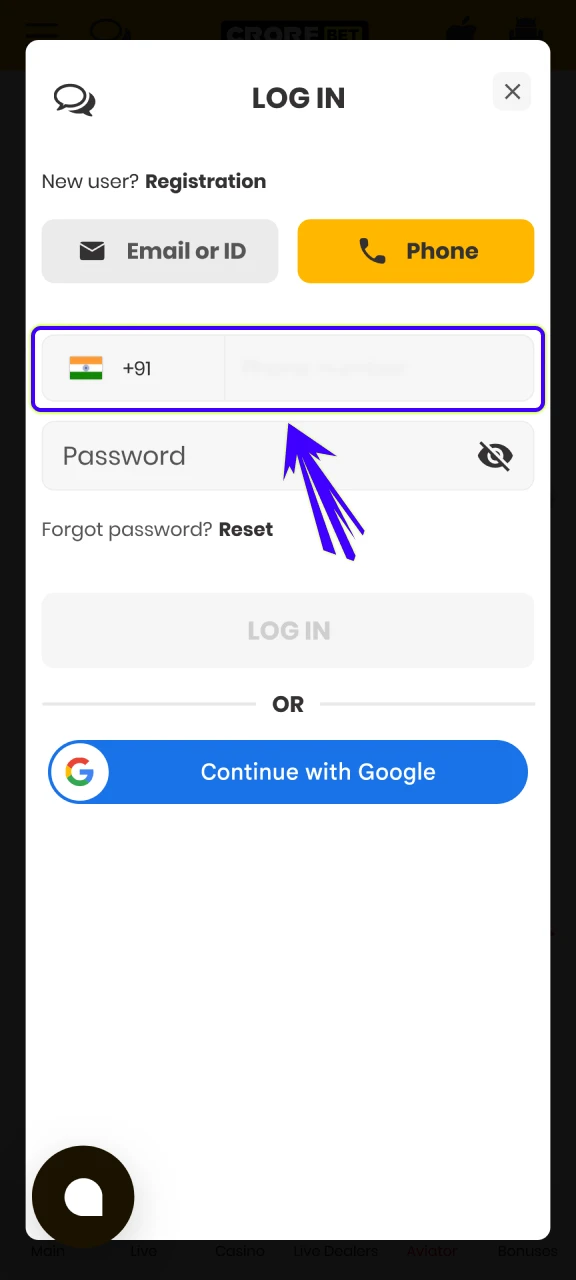
Type the password
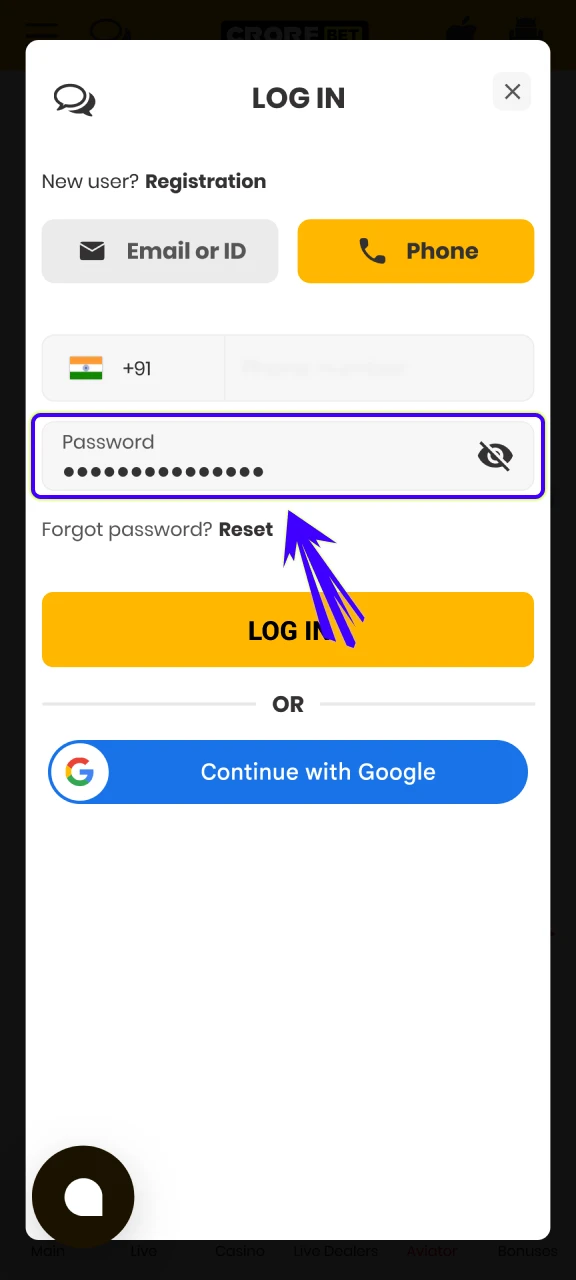
Confirm
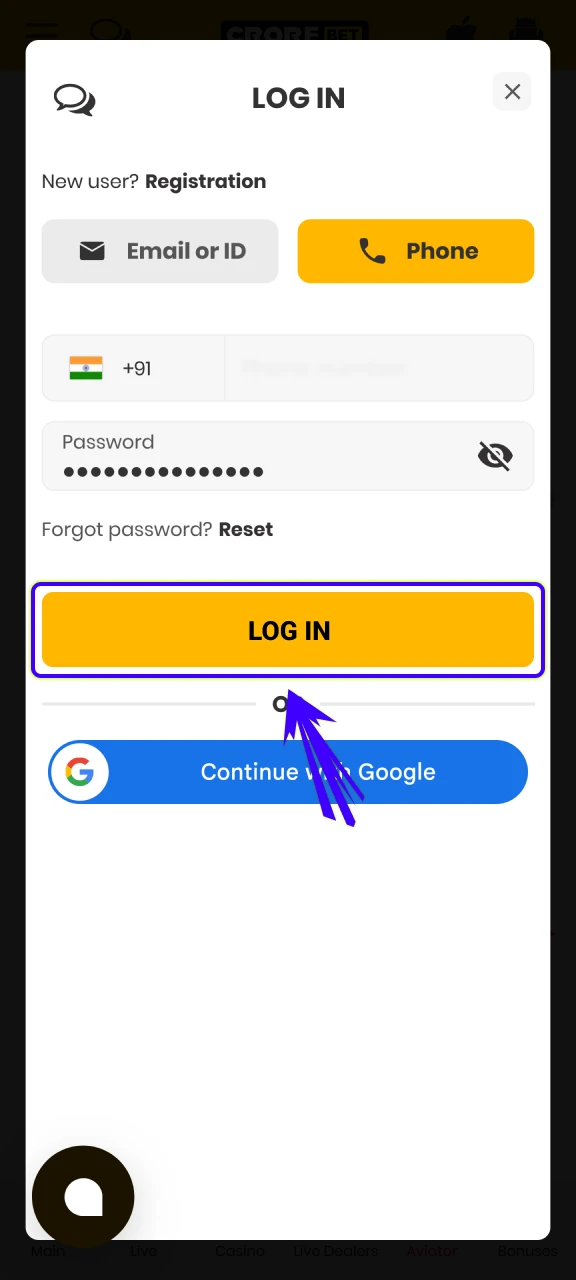
After the first successful login, bettors can activate biometric access inside the application settings. The system connects with the smartphone fingerprint scanner (Touch ID) or facial recognition function (Face ID). Such authentication protects the personal account and financial balance, while the bettor enters the application instantly without manual entry of login details during future sessions.
Sports and Casino Welcome Bonuses on Crorebet
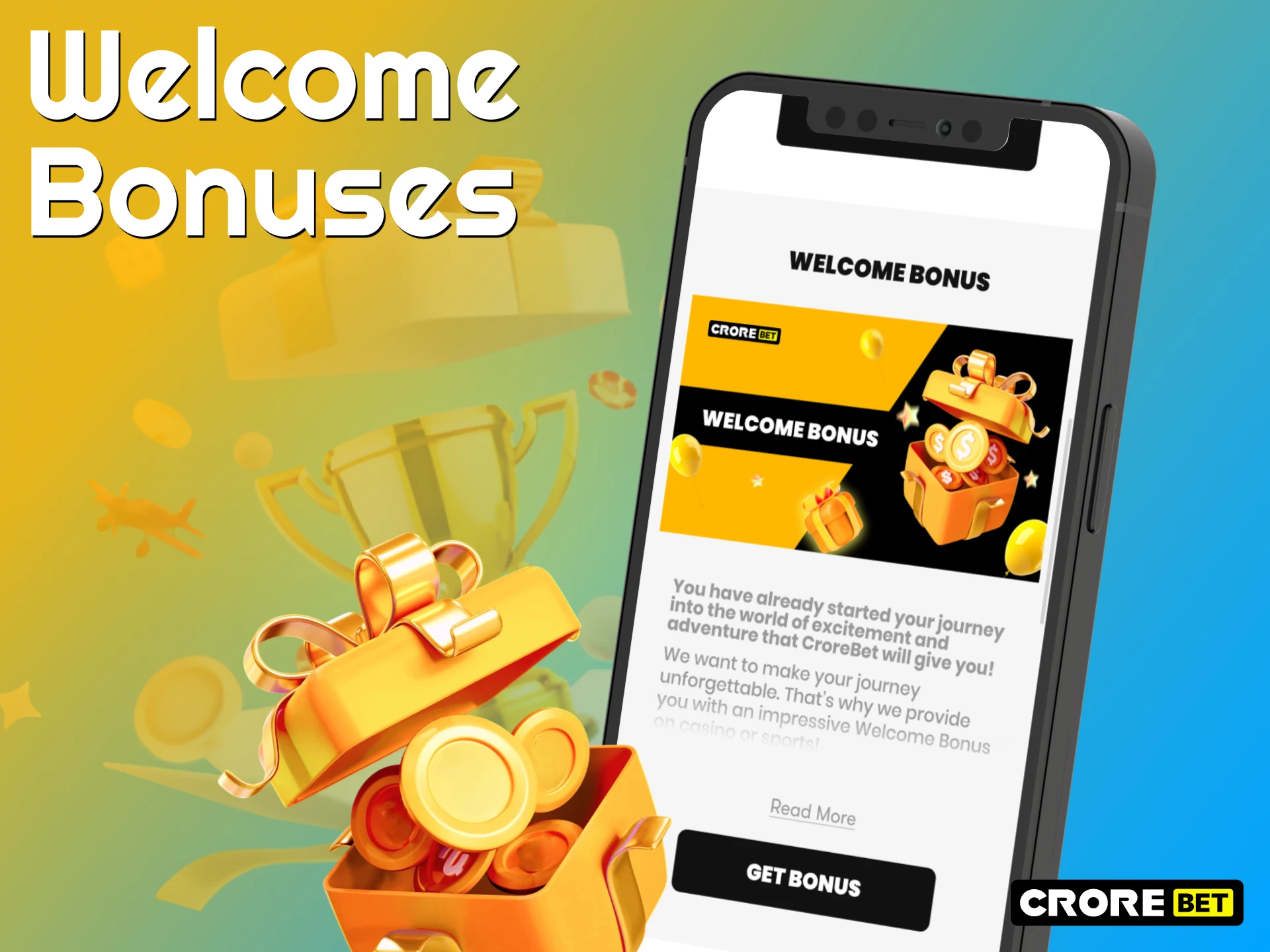
New bettors who install the Crorebet can activate several welcome rewards after their first deposit through the application. The bonus system targets both sportsbook and casino sections so that gamblers can choose the preferred format of play directly from the mobile interface.
The sports welcome bonus provides one of the largest starting rewards available on the platform. Bettors receive up to 700% on the first four deposits, with a total maximum bonus reaching ₹20,000. Each deposit activates a part of the reward, which increases the available betting balance for sports wagers such as cricket, football, kabaddi, and other events listed in the sportsbook.
Casino gamblers also receive a separate promotion designed for slot machines and crash games. The casino welcome bonus increases the deposit by 700% up to INR 20,000. Activation requires a minimum deposit of ₹300, and the bonus includes a x20 wagering requirement before withdrawal becomes possible.
Sports Betting Options and Real-Time Odds
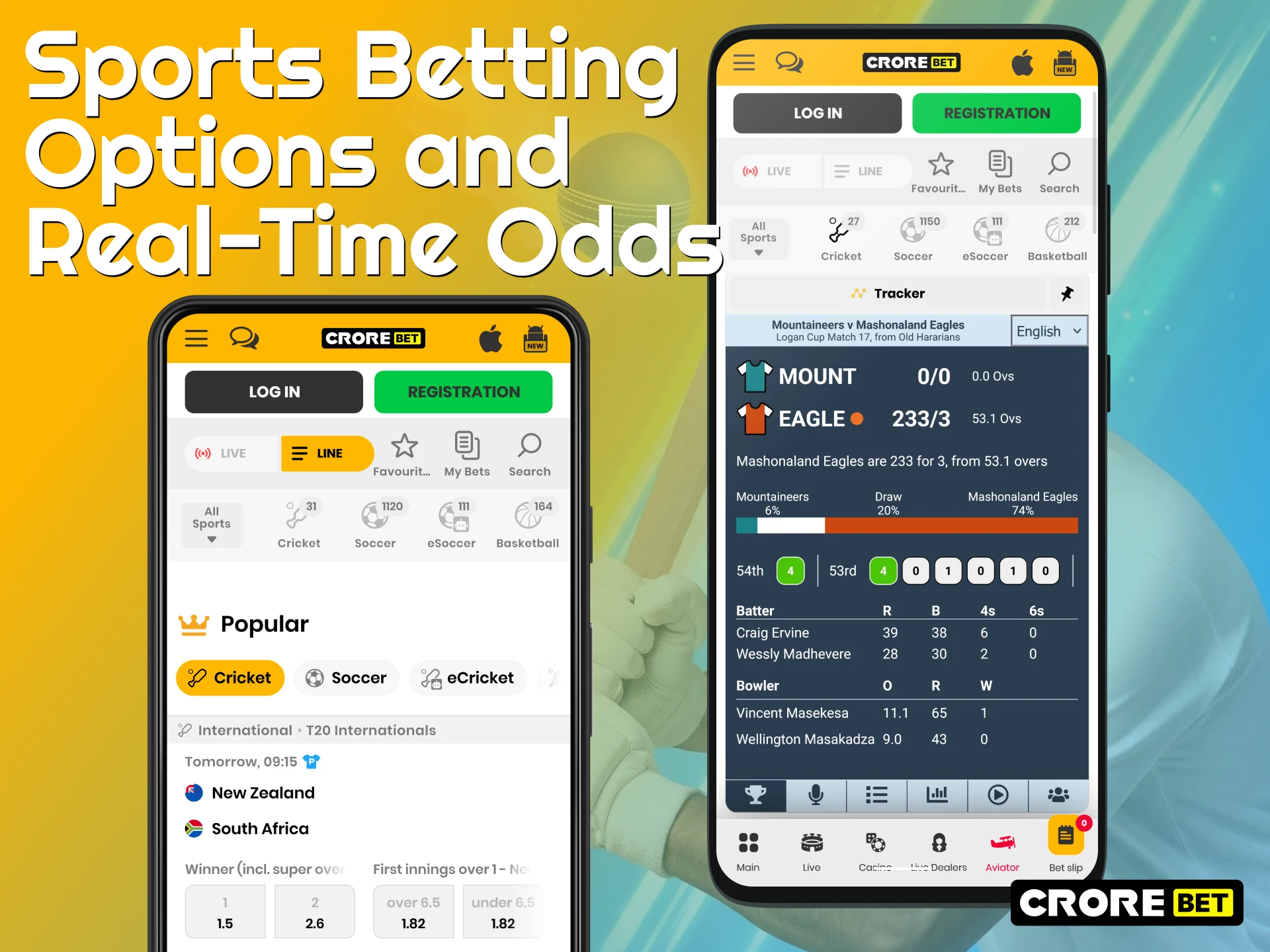
Mobile betting through the Crorebet application gives gamblers access to a large sportsbook directly from the smartphone interface. Many bettors in India view the platform as a strong cricket betting app because the sports line includes detailed markets for international tournaments and domestic competitions. IPL matches receive special attention in the betting section, where gamblers can follow team statistics, compare odds, and place wagers before or during the game. The sportsbook also supports detailed football prediction options for leagues such as the English Premier League, La Liga, and other global competitions. Numerous betting markets appear for each event, which helps bettors analyze match results through several wager types.
Live match betting plays an important role on the mobile platform because gamblers can react instantly to game events. The system updates real-time odds during matches, so bettors see current price changes for outcomes such as match winners, totals, or player statistics. Rapid odds updates help gamblers place wagers during important match moments without delays. Through the mobile interface, bettors follow live scores, analyze statistics, and place bets directly from the smartphone screen during active sporting events.
Online Casino Games and Crash Games
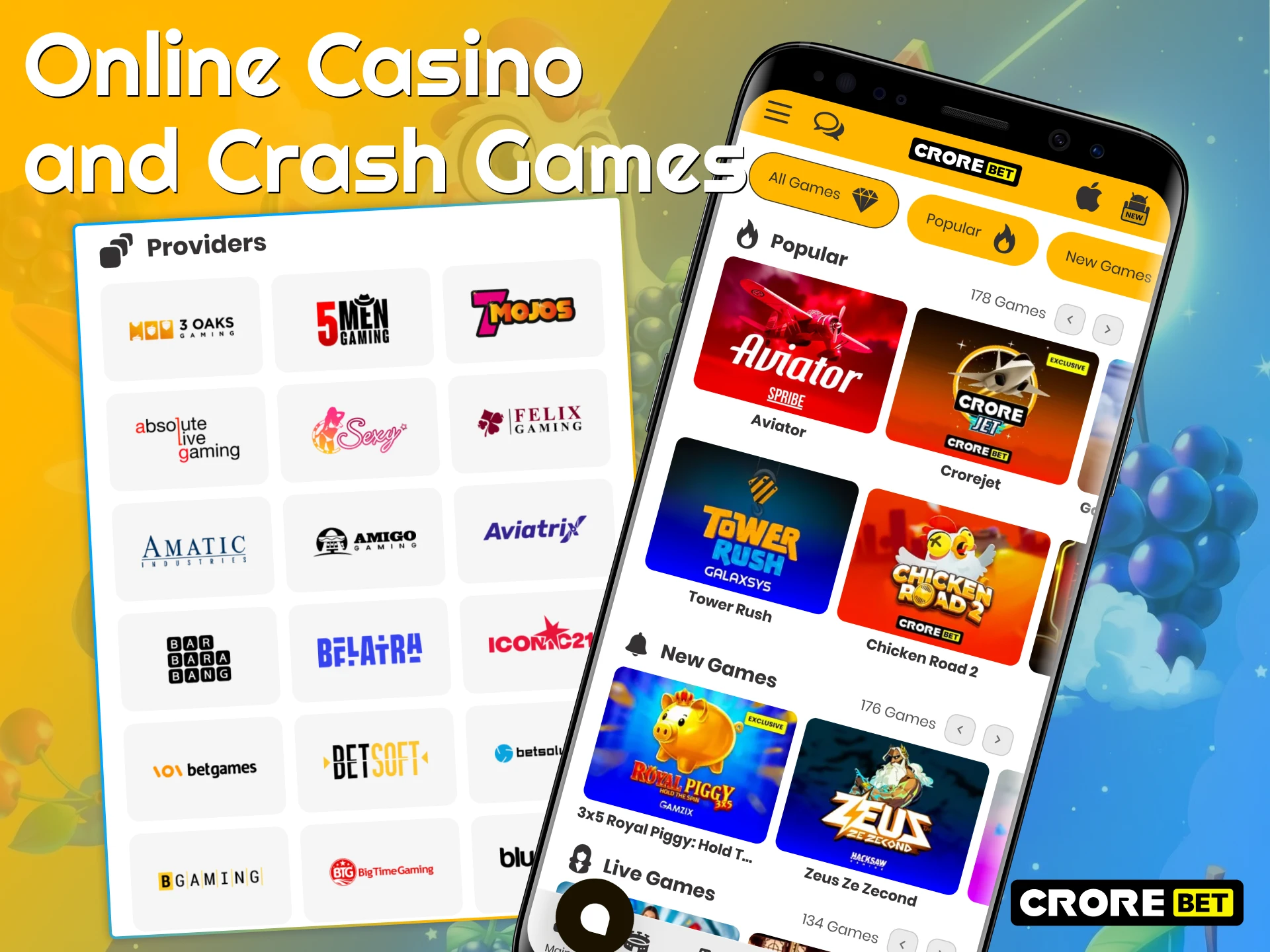
The Crorebet mobile client also includes a large section with online casino games available directly from the smartphone interface. Bettors can access thousands of slot machines optimized for mobile screens, along with live dealer tables streamed from professional studios of well-known providers. Inside the live casino lobby, gamblers find classic games such as roulette, baccarat, and card tables hosted by real dealers through high-quality video streams. Another popular category inside the mobile casino includes fast games, which run short rounds and display results within seconds. Among the most recognized titles in this section is the Aviator by Spribe, a crash game, where a multiplier rises until the round stops, and bettors must cash out before the crash moment. Similar mechanics appear in other crash games available in the lobby, which attract gamblers who prefer quick betting rounds with instant payouts.
Deposit and Fast Payout Process in India
Financial operations inside the platform follow the needs of bettors in India and support several local payment systems. Deposits and withdrawals work in Indian rupees (INR), which removes currency conversion during account funding.
| Payment Method | Minimum Deposit | Deposit Speed | Minimum Withdrawal | Fees |
| UPI | ₹300 | Instant | ₹1,000 | No hidden fees |
| PhonePe | ₹300 | Instant | ₹1,000 | No hidden fees |
| Paytm | ₹300 | Instant | ₹1,000 | No hidden fees |
| Google Pay | ₹300 | Instant | ₹1,000 | No hidden fees |
| Bitcoin (BTC) | ₹300 equivalent | Instant | ₹1,000 equivalent | No hidden fees |
How to Update the App to the Latest Version
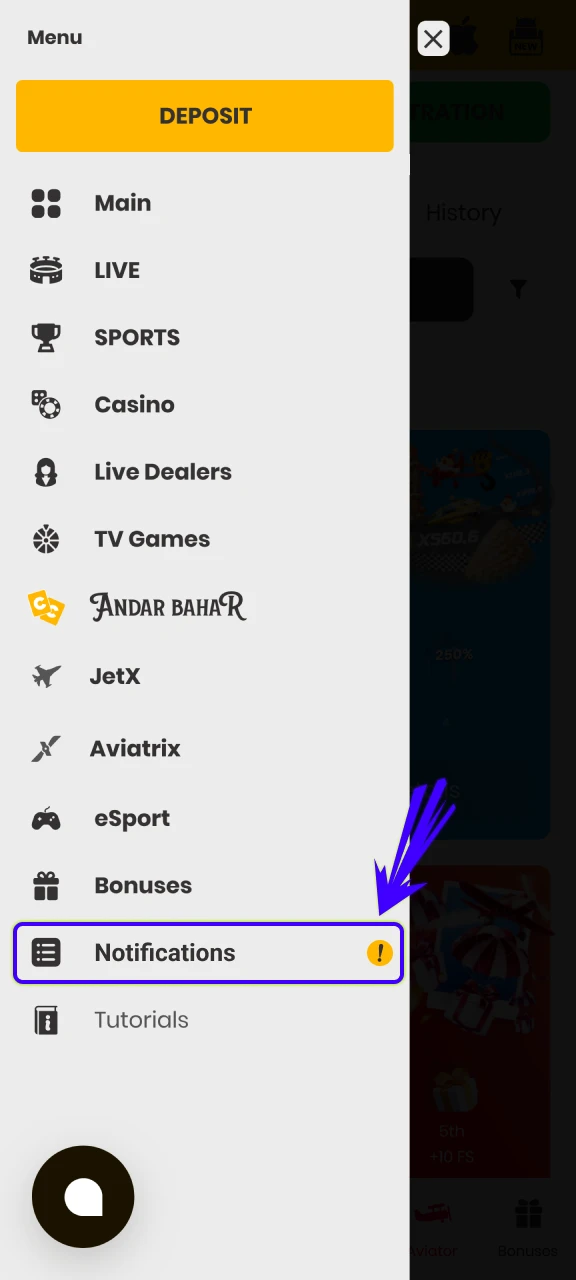
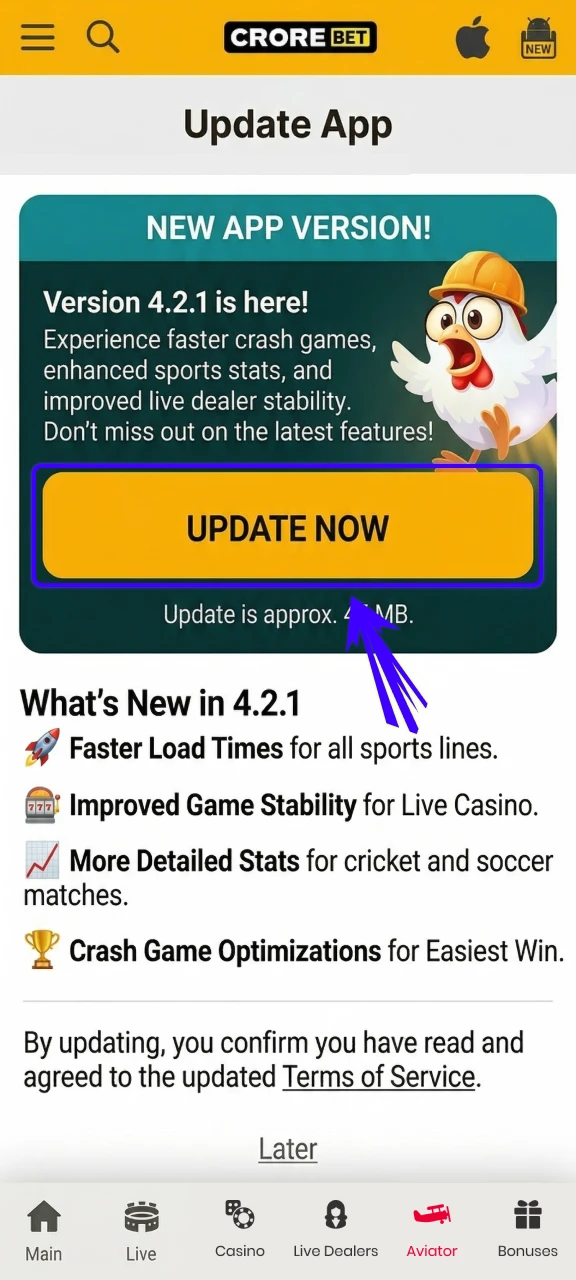
Update in 6 stepsRegular updates play an important role in the stable operation of the Crorebet mobile client. Older versions can display errors, slower loading, or incorrect work of some platform functions. Developers release new patches that improve performance, correct technical problems, and strengthen the security of the application. When a new version appears, the system usually notifies the bettor and recommends installation of the updated files. The update process takes only a few actions.
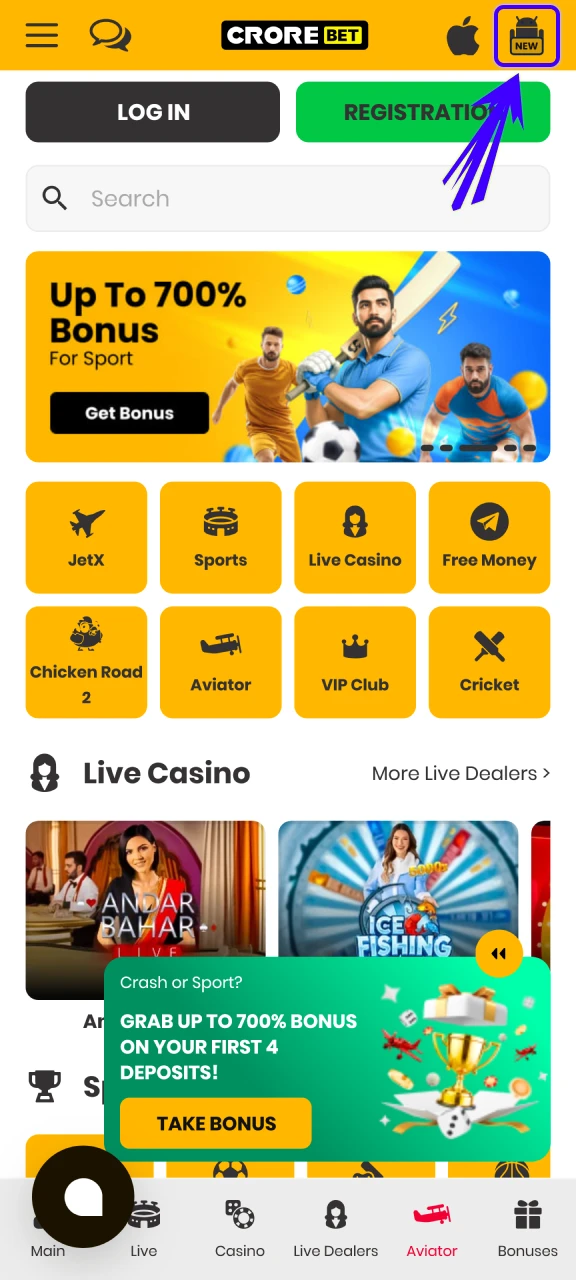
Check the notification
Press the update button
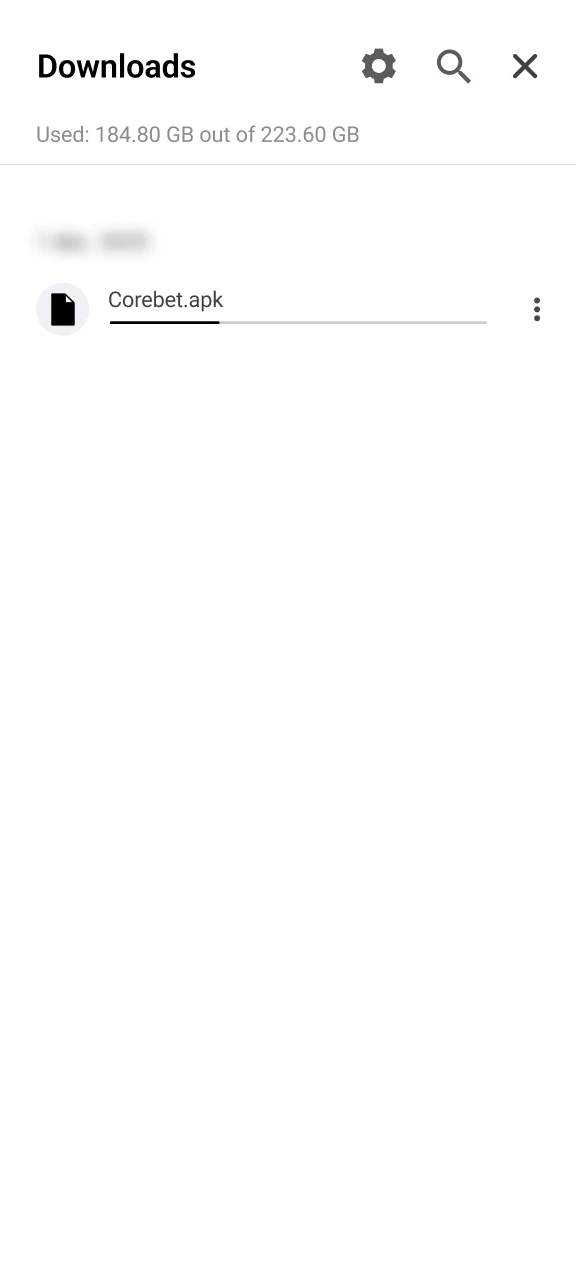
If the update doesn’t start
Download from the website
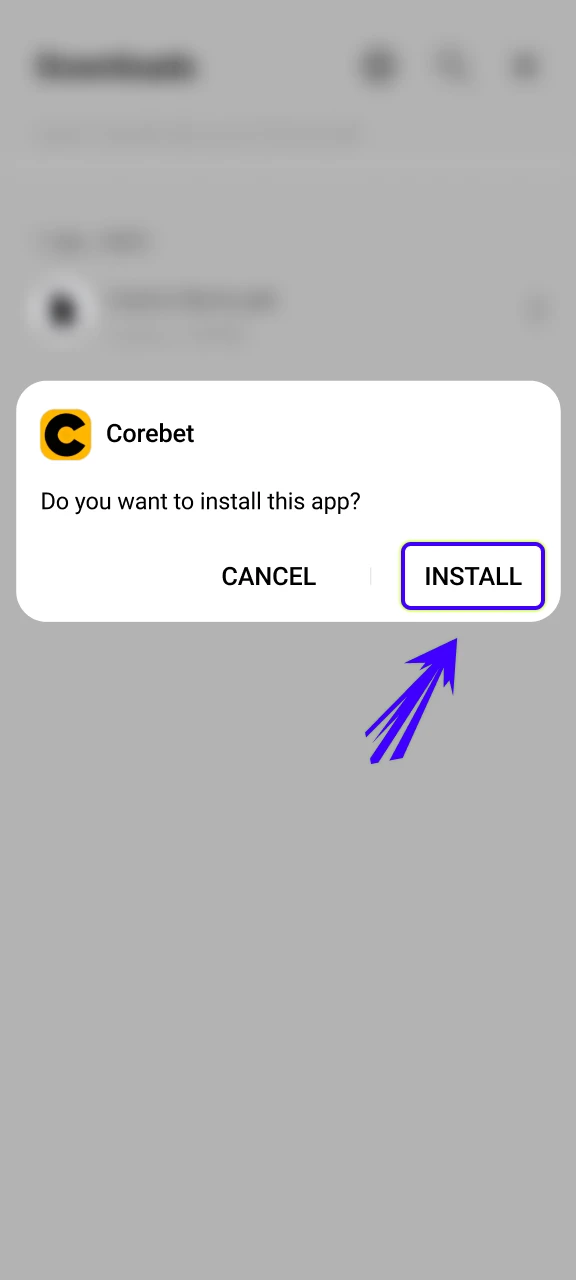
Open the downloaded File
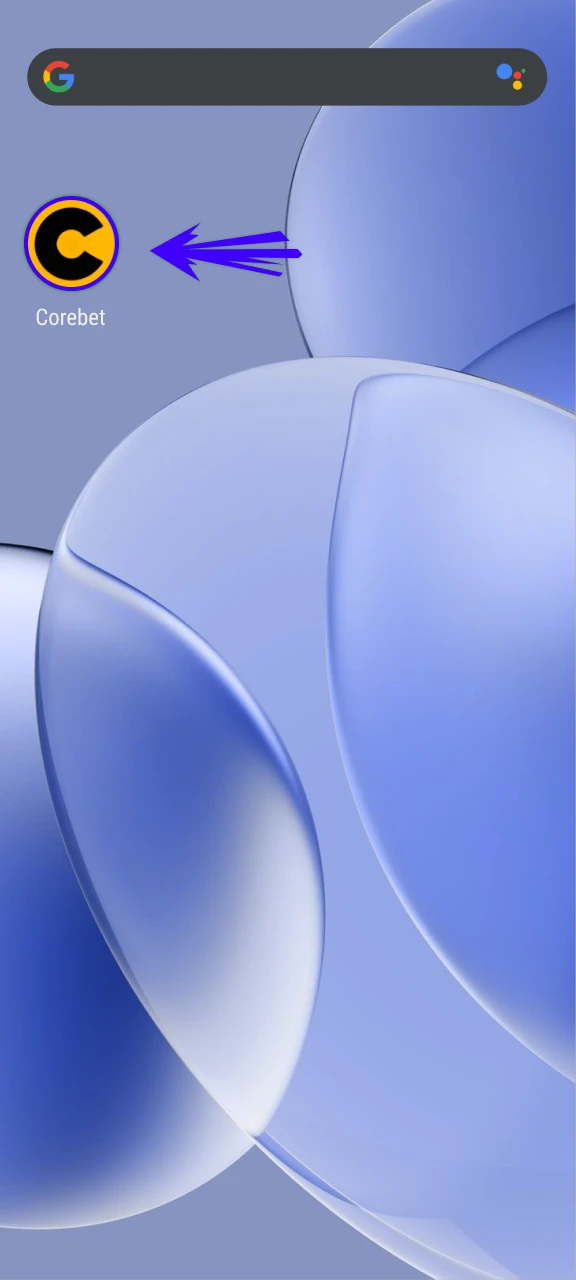
Launch the updated clien
Customer Service and Support
There is also an integrated customer service section that helps bettors resolve technical or financial questions directly through the application. Support specialists assist with account access, payments, bonus conditions, and betting functions. Indian gamblers receive additional comfort through Hindi language support, which helps many users communicate with operators in their preferred language. Contact with the support team works directly from the smartphone screen through 24/7 live chat, so bettors can request assistance at any time without leaving the mobile platform.

Final Opinion on Crorebet App
There are several strong reasons why the Crorebet attracts bettors in India who prefer daily betting through smartphones. The application loads quickly and works correctly even on devices with modest technical specifications, which allows many gamblers to access sports markets and casino games without hardware limitations. Support for transactions in Indian rupees (INR) also simplifies deposits and withdrawals through local payment systems widely used across the country.
Access to cricket betting markets, live sports events, and casino games appears directly inside the mobile interface without the need for additional software. New gamblers also receive valuable promotional rewards that increase the starting balance for sports bets or casino play. When these factors combine, the Crorebet mobile client works as a reliable tool for everyday betting activity thanks to fast loading speed, low device requirements, INR payments, and generous bonuses for new members.
Crorebet Mobile App Final Pros and Cons
Evaluation of the Crorebet software shows several advantages connected with speed, betting tools, and accessibility for gamblers in India. The application provides quick navigation between sportsbook and casino sections, and bettors can place wagers or review live events directly from the smartphone interface. At the same time, some technical limitations appear depending on device performance and internet connection quality.
| Pros | Cons |
| Fast interface loading on most Android and iOS devices | Some functions depend on the mobile internet connection speed |
| Instant updates of live betting odds during matches | Minor streaming delays may appear on older smartphone models |
| Smart push notifications about match results, odds changes, and promotions | Android installation requires an APK download from the official website instead of Google Play |
| Wide sportsbook with cricket, football, kabaddi, and other sports | |
| Access to casino games, crash games, and live dealer tables from the mobile client | |
| Support for INR transactions with local payment systems such as UPI and Paytm | |
| Biometric login through Touch ID or Face ID for faster account access |
FAQ
Is it safe to download the Crorebet APK outside Google Play?
Yes, the installation file available through the official Crorebet website is safe for mobile devices. Developers publish the APK directly on the platform page, and the file passes security checks before release. Gamblers should always download the file only from the official website to avoid modified or unsafe versions.
What are the minimum deposit and withdrawal limits in the Crorebet app?
The minimum deposit for real money play starts from ₹300 when bettors use payment systems such as UPI, Paytm, or PhonePe. The minimum withdrawal amount usually begins from ₹1,000, which allows gamblers to request payouts once the account balance reaches that level.
Does the Crorebet mobile app work on older smartphones?
The application runs on many devices released several years ago. Android smartphones require Android 7.0 or higher, while Apple devices support the platform starting from iOS 9.0. Such requirements help gamblers access sports betting and casino games even on older mobile hardware.
Can bettors control push notifications in the mobile app?
Yes, the application includes notification settings inside the account dashboard. Gamblers can activate alerts about match results, odds changes, and promotional campaigns. These settings also allow users to turn off unnecessary notifications and keep only important sports updates.
Does the mobile app support live betting on sports events?
Yes, the Crorebet includes full access to the sportsbook with live match betting. Bettors can follow matches in real time, review statistics, and place wagers during the event while the system updates odds continuously.